In this review, I will cover the HP FX900 1TB SSD, a choice for those seeking the “golden mean” of performance and cost. I’ll walk you through its specs, explain the differences between the Plus and Pro versions, run some real-world benchmarks, and share my honest impressions of the hardware.
Introduction
My previous drive, a 1TB Apacer AS350X, recently “bit the dust.” Its controller failed, which started with a gradual decline in data transfer speeds and ended with massive sector response delays. This forced me to look for a reliable alternative immediately.
I settled on the HP FX900. Why? Simple: rational pragmatism. In the $120–$140 price bracket, the market is generally divided into three camps:
- Dubious “no-name” brands from China.
- The proven middle class from HP (Biwin).
- Premium brands that cost significantly more.
HP looks like the perfect sweet spot—a brand that cares about its reputation but doesn’t make you overpay just for the logo.
The HP Biwin Brand Connection
Before buying, I assumed Hewlett-Packard manufactured these drives in-house. Having administered HP servers and bought HP SAS drives in the past, I was surprised when Google redirected me to the Biwintech page for more info.
It turns out HP entered into a strategic partnership with Biwin Storage Technology in 2017. Under an exclusive licensing agreement, Biwin was granted the rights to develop, manufacture, and sell SSDs and RAM under the HP brand. It’s a classic brand-licensing model: HP provides the trusted name and strict quality control standards, while Biwin provides its massive manufacturing power in Shenzhen and expertise in controller firmware development.

For the average user, this is a win-win: you get a product from a globally recognized brand at a price much more attractive than those of competitors who spend billions on independent marketing and retail networks.
HP FX900 Specifications
The FX900 lineup consists of three versions: Standard, Plus, and Pro. Here is how they compare:
| Feature | HP FX900 | HP FX900 Plus | HP FX900 Pro |
|---|---|---|---|
| Controller | InnoGrit IG5220 | Maxio MAP1602 | InnoGrit IG5236 |
| DRAM Cache | Відсутній (HMB) | Відсутній (HMB) | Є (1 Гб DDR4) |
| Read Speed | до 5000 MB/s | до 7100 MB/s | до 7400 MB/s |
| Lifespan (TBW) | 400 TB | 600 TB | 600 TB |
As the table shows, my version is the most budget-friendly, featuring an entry-level controller and lower TBW.
Unboxing HP FX900
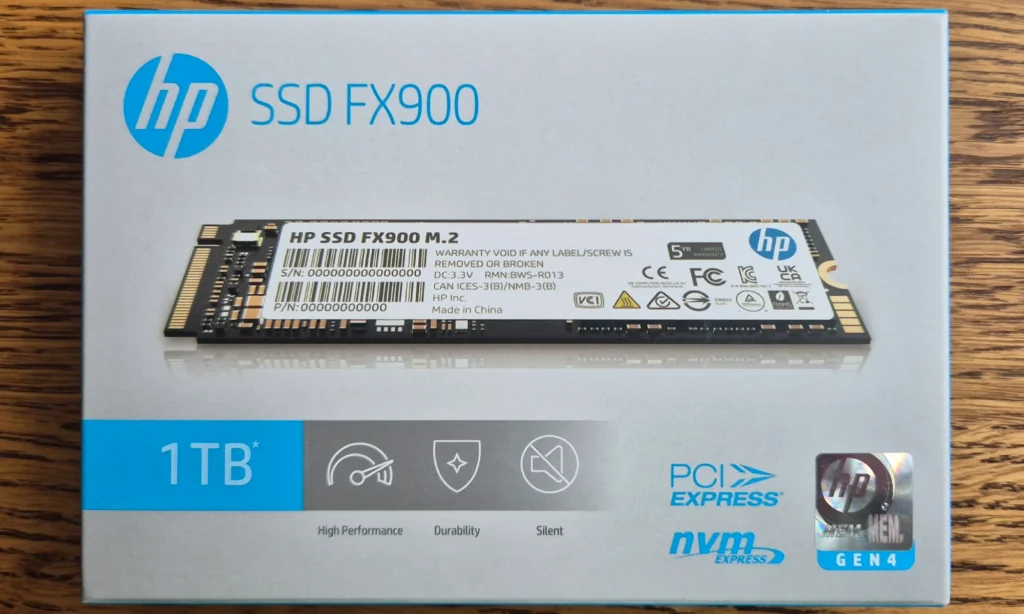
I expected the drive to arrive in a cheap plastic blister pack, but I was pleasantly surprised by a rather solid box. The front features the drive itself, its capacity, and a hologram to verify authenticity.
The back contains warranty and certification info, serial numbers, and the “Made in China” label (though some sources claim the FX900 series is manufactured in Taiwan). The box is sealed with transparent stickers that make it impossible to tamper with unnoticed.
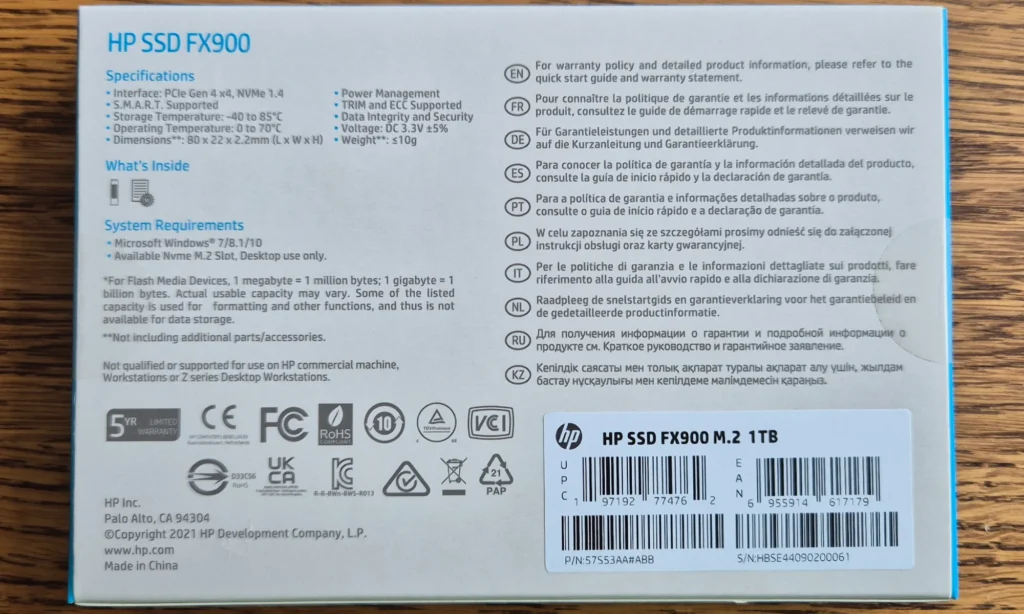
On both sides of the box there are round transparent stickers that cannot be removed unnoticed, for repackaging or for any other purpose.
There was still a blister inside the box. To my surprise, in addition to the disk itself, a screw was included in the kit. They made a special section for the screw in the blister.
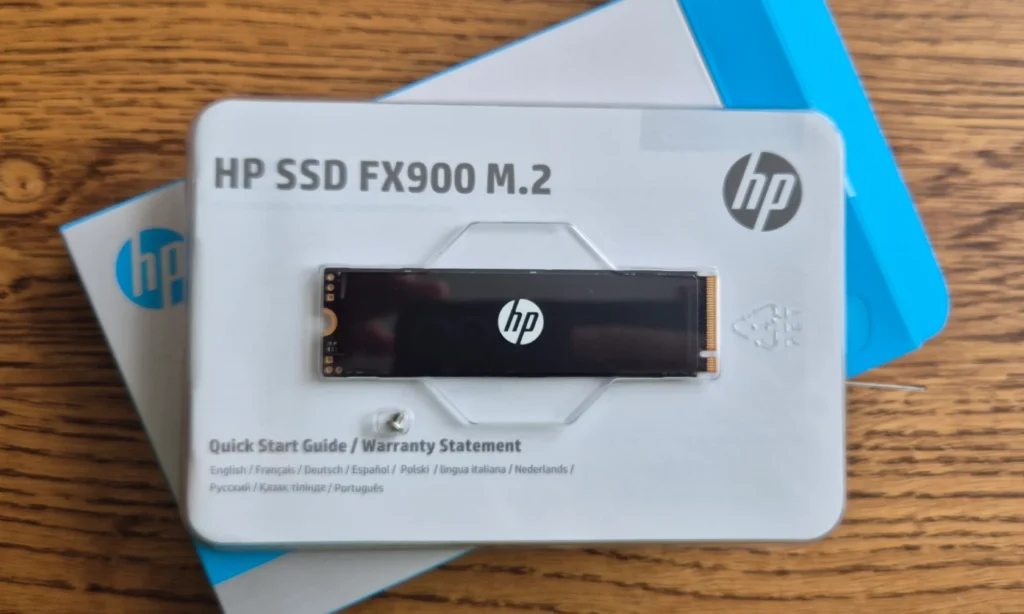
Under the disc and screw was documentation on disc installation and warranty terms. The kit irons solidly, the disc itself also looks good and is pleasant to the touch due to the presence of a black matte thermal insert.
The thermal insert only features the Hewlett Packard logo – made in a minimalist style.
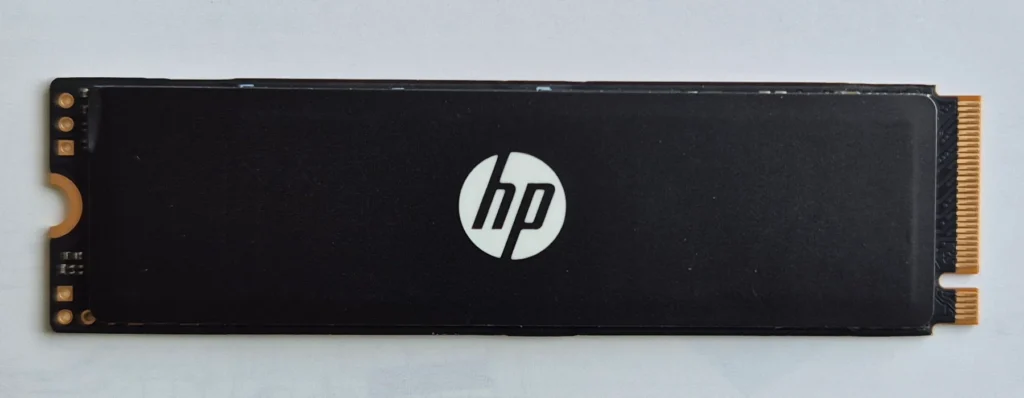
On the back, a white sticker contains more information about the warranty, certification, and manufacturer.
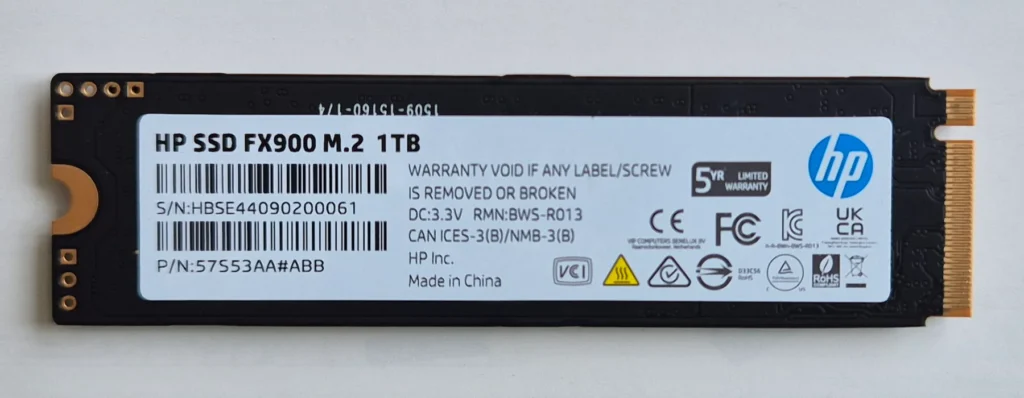
An interesting fact is that I did not find any mention of Biwin either on the packaging or on the disc itself.
Installation HP FX900
I tested the drive on a desktop PC with an Asus Prime A520M-K motherboard. Note that this board supports PCIe 3.0, meaning the FX900 (a Gen 4 drive) will be bottlenecked at roughly 3500 MB/s.
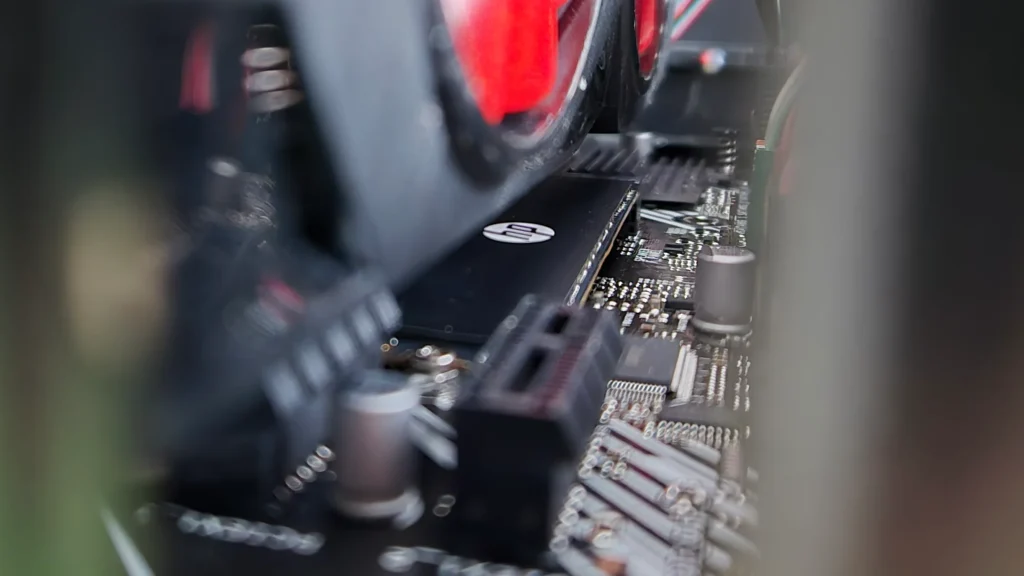
When I opened the PC case, I couldn’t even see the M.2 slot. It turns out it’s hidden directly behind the graphics card. This design is absolute “trash” in terms of thermal management – the SSD gets hot, the GPU gets hot, and they just cook each other.
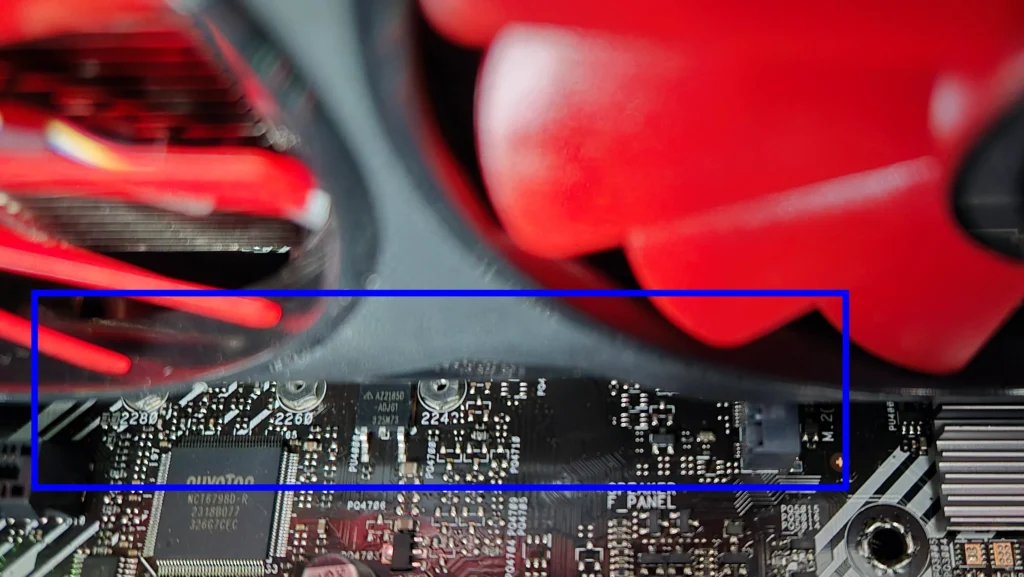
To install the SSD, I had to remove the video card – this is real trash for 2026, but we have what we have.
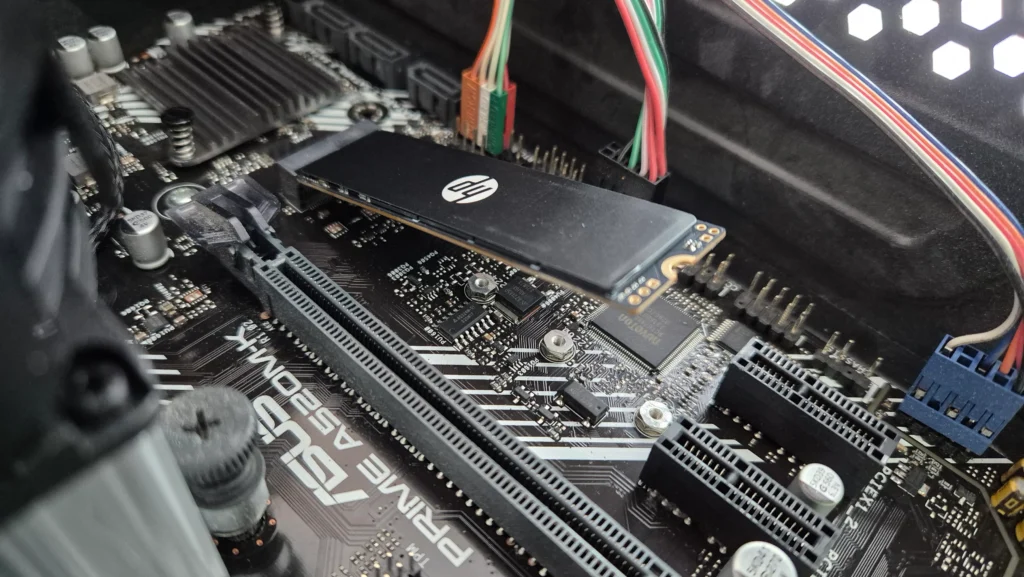
The motherboard didn’t come with an M.2 screw, so I was glad to see this screw included with the drive, otherwise I would have had to look for a similar screw at a flea market or contact a service center.
Replacing the disk will also require removing the video card.
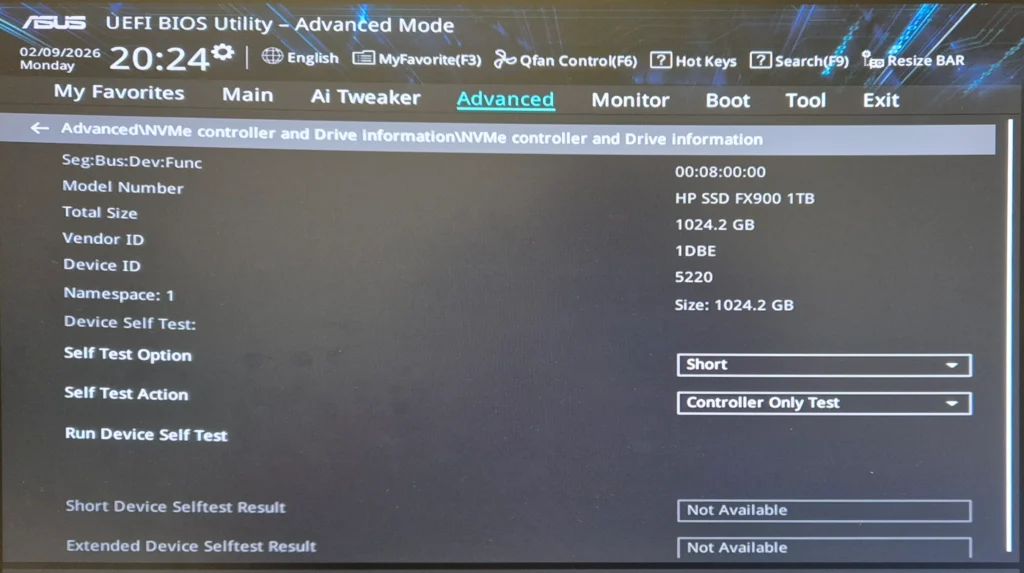
The drive is recognized instantly and correctly in the BIOS
Benchmark Results
After connecting the drive, it was successfully recognized by Windows and Ubuntu. I will be testing with two utilities:
- CrystalDiskMark under Windows
- Base benchmark under Ubuntu (read only)
CrystalDiskMark
Before testing, I selected NVMe SSD in the Settings menu to optimize test results.
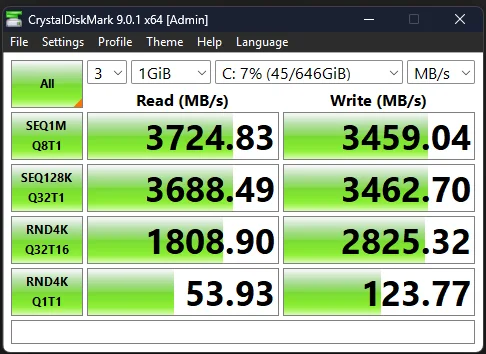
The results show the drive completely saturating the PCIe 3.0 interface. Speeds of 3724 MB/s (Read) and 3459 MB/s (Write) are essentially the ceiling for this bus. This indicates that the InnoGrit controller is working perfectly with the system. Even without Gen 4 support, it is 6–7 times faster than a standard SATA SSD, making 4K video editing and large file transfers significantly smoother.
Disc Ubuntu
In this utility, you also need to change some parameters to optimize the test:
in the Transfer Rate category
- Number of Samples – 100
- Sample size – 100
You can check the Performance write-benchmark box, but in this case the data will be overwritten. Since I already have this disk with Windows and Ubuntu installed, I will not check this box and will limit myself to testing only data reading.
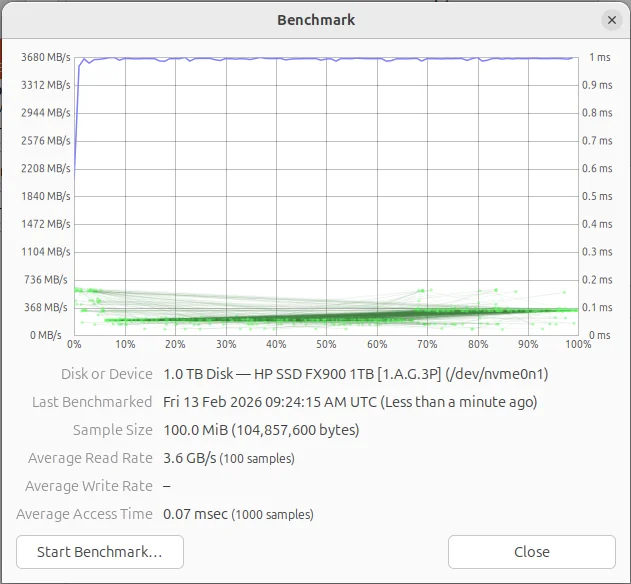
The second test (in a Linux environment) confirms the impressive stability of the drive: the read graph at 3.6 GB/s looks like a flat line without any dips, which is important, for example, when editing or rendering. The access time of only 0.07 ms guarantees lightning-fast system response to any requests.
The results of both benchmarks are such solely due to the bandwidth limitations of the motherboard itself, but even this speed is better than any SATA ssd, and in my case the Apacer AS350X.
Conclusion
The HP FX900 1TB is the choice for those who have been “burned” by ultra-cheap drives and want stability without the “premium tax.”
- Pros: Energy efficient, graphene thermal sticker for cooling, 5-year warranty, includes a mounting screw.
- Cons: No DRAM cache (though HMB compensates well), TBW could be higher.
If you need a reliable drive for work and gaming that won’t overheat in a tight spot, this is an excellent bang-for-your-buck option.