
If you’ve ever tried to take a close-up photo of a document or text on your new Samsung, you might have noticed a strange thing: the center of the frame is sharp, but there’s a blurry ring or arc around the center. Because of its specific shape, this problem has been popularly nicknamed the “banana blur effect.”
What is this effect and why does it occur?
Many Galaxy users notice that the center of the frame is sharp, but there’s a blurry ring around it – this is the famous Samsung banana blur effect.
Modern smartphones are getting larger and larger sensors for their main cameras and wider apertures (to capture more light at night). When you bring such a camera too close to a flat object (such as a piece of paper), an optical phenomenon called field curvature occurs. The lens focuses not on a perfect plane, but on a slightly curved sphere. As a result, the center is in focus, and a certain ring zone around it falls out of the depth of field (DOF) and becomes blurry.
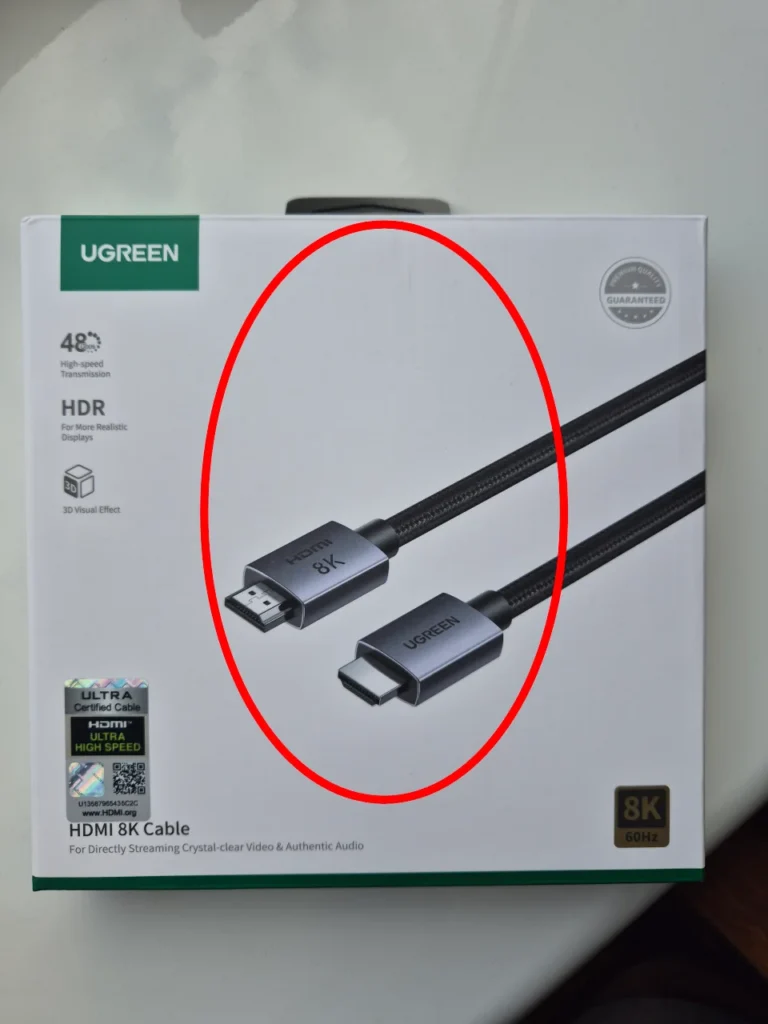
In this photo, I drew an oval that has the greatest clarity, outside this area the image starts to blur, due to processing, shadows and other artifacts may be added.
I was surprised by this effect, because the photo was taken in bright daylight at a distance of about 20 cm, which cannot be called a macro mode for using a larger depth of field.
Feature of Samsung smartphones from S23 to S26
To check this in practice, I took out my Galaxy S10e and took a similar photo under the same conditions. I did not see any blurring at the edges – the text came out perfectly sharp. This is due to the fact that smartphones of previous generations had smaller sensor sizes and a simpler camera unit design, which physically did not create problems with focus when shooting close-ups.
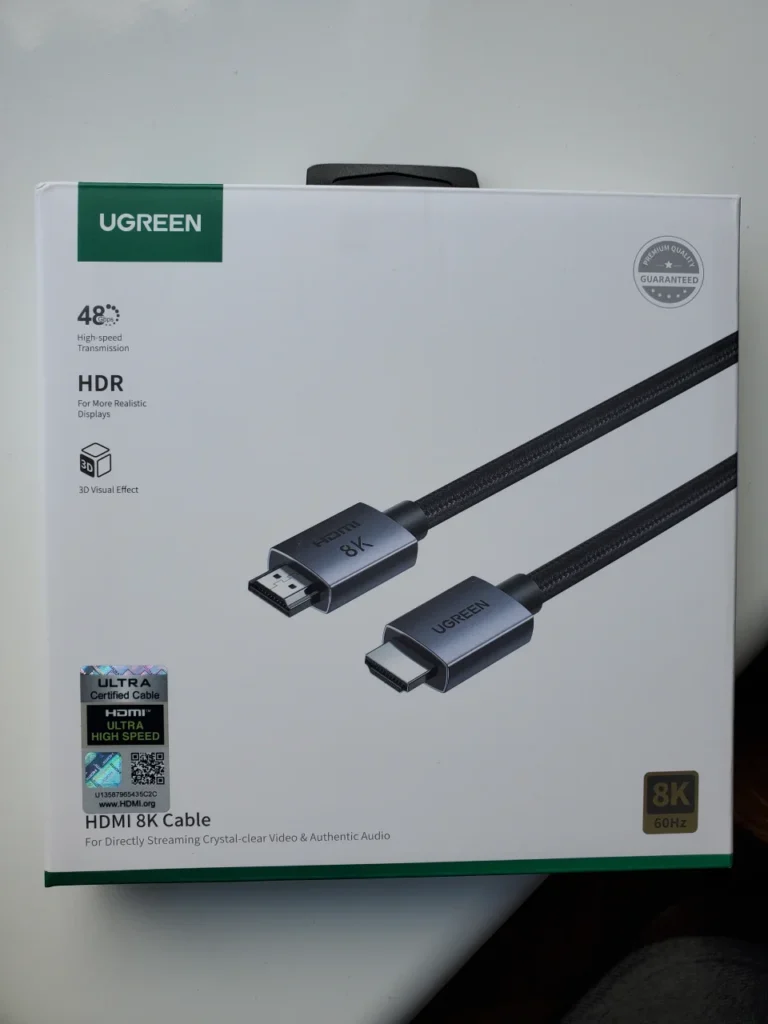
This effect became widely discussed after the release of the Galaxy S23 and S23+ lineup.
Galaxy S24 / S24+: Since these models inherited an almost identical 50-megapixel main camera module and optics from their predecessor, the “banana blur” did not disappear. Samsung tried to mitigate it with software updates and text sharpening algorithms, but it is impossible to change the physics of the lens with software.
Galaxy S25 and new S26: Even in the current 2025-2026 models (base and Plus versions), the trend persists. The use of large sensors inevitably entails a shallow depth of field when shooting close-ups. The software (especially AI processing in the S26) has become smarter, but optical limitations still make themselves felt.
To better understand the difference between the two cameras, I placed the upper left area of the image side by side, here is the result I got:
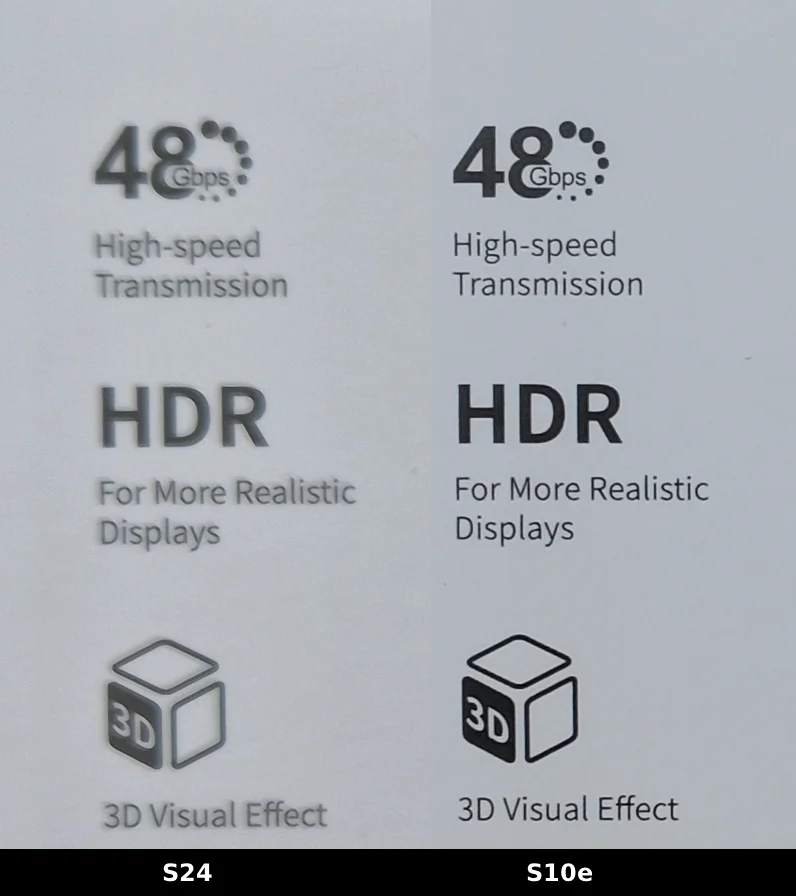
Of course, you don’t have to be an expert to understand how much image distortion occurs, and this is not a minimal error, but a very significant flaw!
How to eliminate or minimize the effect?
If you own a Galaxy S24, you don’t need to change your phone. To get perfectly clear pictures of documents or small details, you just need to change your photography habits.
Instead of bringing the phone 10 cm to the text with the main camera (1x), I tried using 2x and 3x zoom by moving the smartphone camera further away so that the overall angle remained the same.
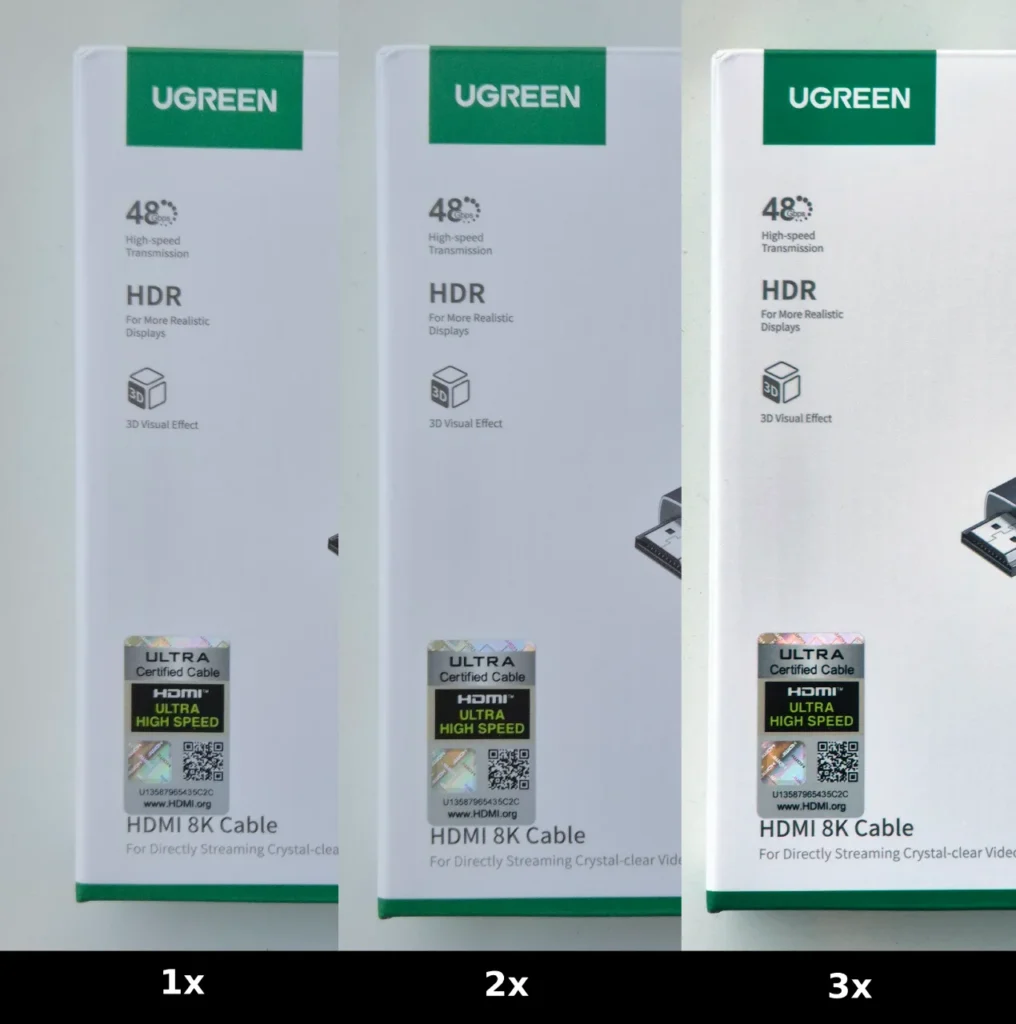
Comparing the results really showed a difference in quality. At the maximum optical zoom of 3x, the blur disappears partially, but it does not reach the crystal clarity of the s10e.
Final thoughts on Samsung banana blur
Banana blur is not a defect of the S24 smartphone, but a compromise that has to be made for the sake of cool night photos and beautiful natural bokeh on large sensors. Manufacturers have stuck to the laws of physics, so a similar effect can be found on other modern flagships.
If you still need to take a photo of a text, then I recommend either moving the smartphone to a greater distance and increasing it by 2-3x, or taking such a photo on another smartphone, or on a full-fledged camera.