
In this post I describe how to set up Android Gboard Keyboard to switch physical keyboard connected to smartphone via bluetooth. In my case, when I switch languages, I see popup, that language successfully switched by physical keyboard still use default language.
Intro
Samsung phones by defaul use its Samsung keyboard, and it works fine with Logitech keyboard, but I prefer Google Gboard keyboard. So I have:
- Logitech MX S
- Samsung S10e
- Gboard with two languages Ukrainian and English
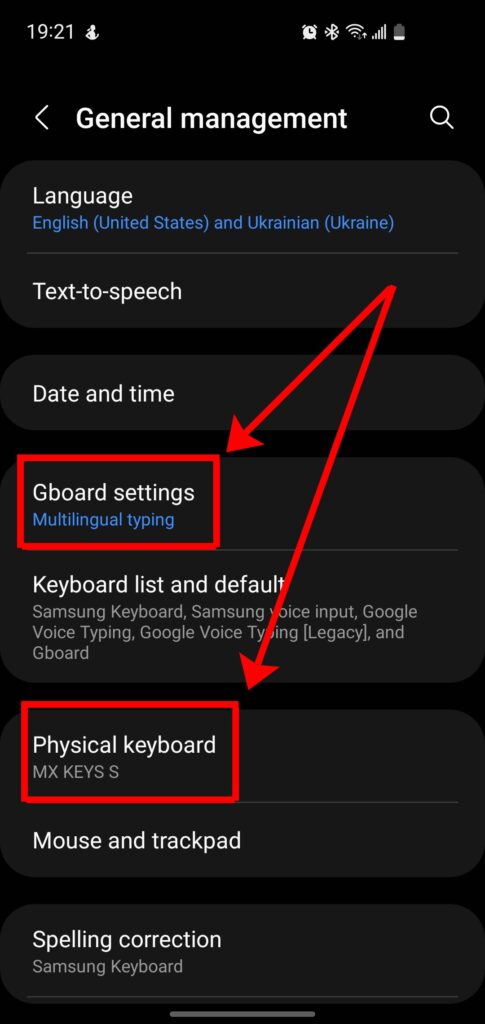
General management
I see two features:
- Gboard settings – Multilingual typing
- Physical keyboard – MX KEYS S
It means Physical keyboard is detected and I need to set it up
If you’re wondering about the build quality or layout of this specific model, you can check my earlier post about the Logitech MX S keyboard factory engraving.
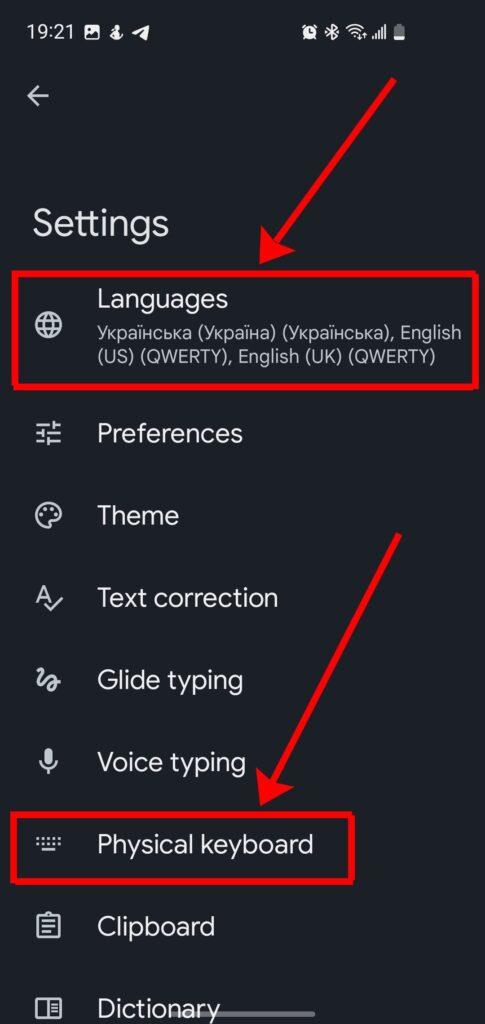
Gboard settings
In this menu I see three languages:
- Ukrtainian
- English US
- English UK
It means that languages are active. So I check Gboard Physical keyboard settings.
While I’m testing this on an older S10e, the process is almost identical for newer flagships—feel free to compare this experience with my unboxing of the Samsung Galaxy S24.
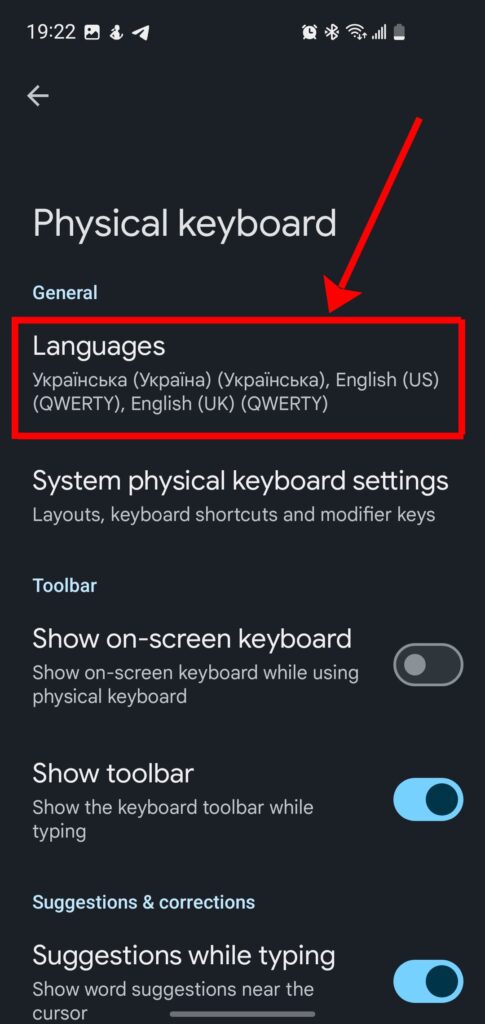
Gboard Physical keyboard settings
This menu show full list of desired languages. I expected that all should work perfect, but unfortunately – NO. Next I need to check System physical keyboard settings.
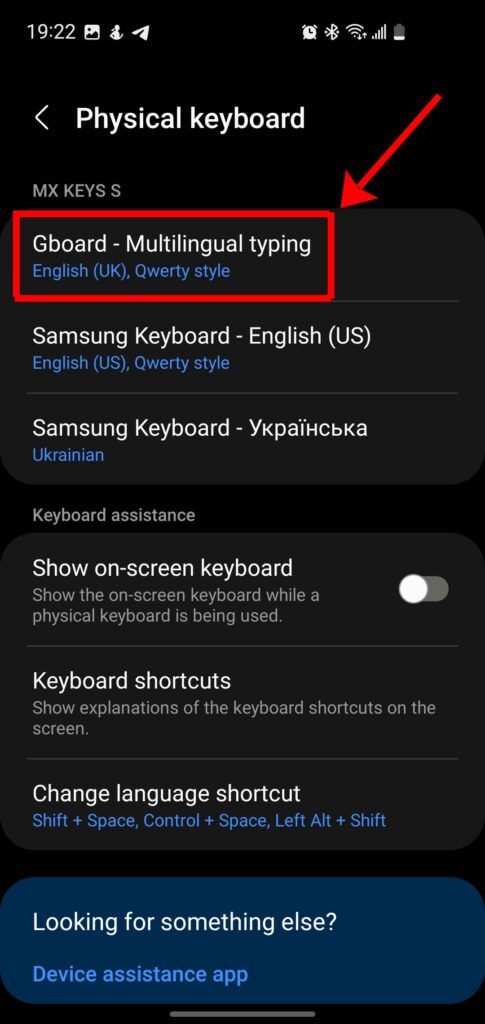
System Physical keyboard settings
This screenshot show me, that Physical keyboard MX KEYS S use three keyboards:
- Gboard – Multilingual typing
- Samsung Keyboard English US
- Samsung Keyboard Ukrainian
Gboard – Multilingual typing – support only ONE layout, in this case English (UK) Qwerty style, but NOT three languages, which I described above.
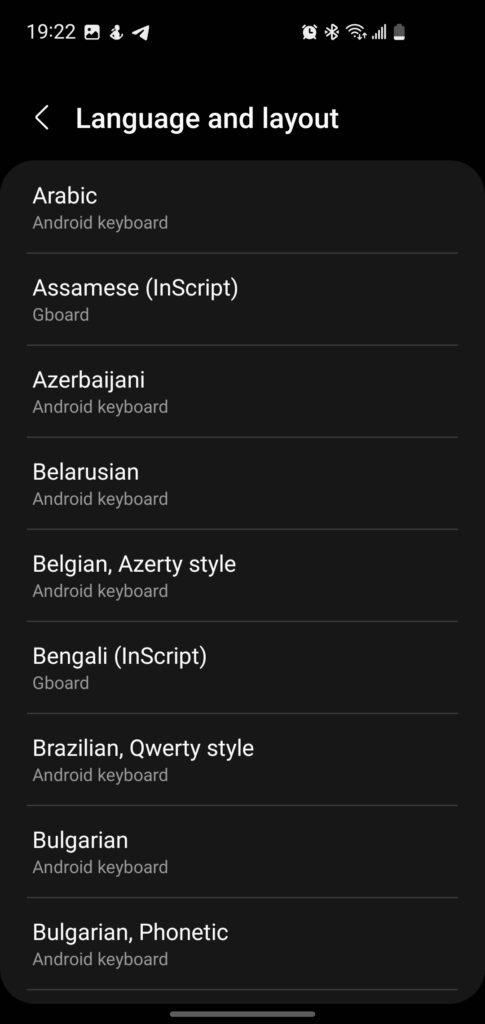
Language and layout
When I go to Gboard – Multilingual typing menu, I visit Language and layout screen. I can select any language from list, but it not be added, just replaced. In this mode, I can’t select two layouts or languages.
Conclussion
So I do not know, how to add additional language for Multilingual style. I think it is main reson, why physical keyboard correct switch language, but not switch keyboard layout.
To fix this, you need to go to Settings > General Management > Physical Keyboard, tap on your Logitech MX Keys S, and manually Set up keyboard layouts for each language listed there. Adding them only in Gboard settings isn’t enough for physical hardware.