
Samsung Galaxy S24 users have started receiving the official One UI 9.0 software upgrade. While the installation finishes smoothly, a critical setup bug freezes the device on the final initialization step. In this guide, I will show you how to fix the Access Denied error One UI 9.0 update issue on your Samsung Galaxy S24 and bypass the broken wizard screen safely using Safe Mode.
Wizard
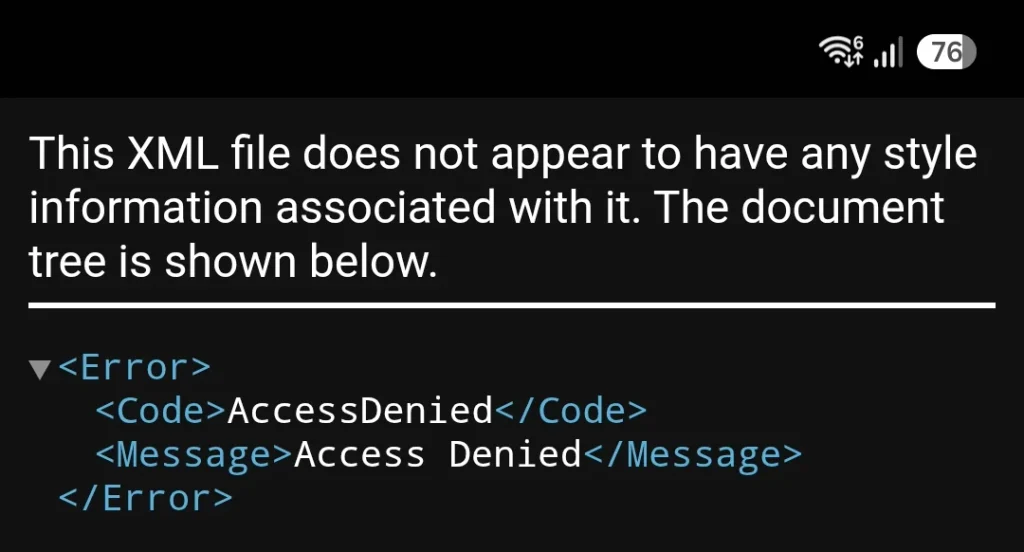
After the phone reboots, the automatic welcome wizard appears. Once you click “Next” on the screen introducing the new AI features, the setup wizard crashes into a black screen displaying the following XML error code:
This XML file does not appear to have any style information associated with it. The document tree is shown below.
<Error>
<Code>AccessDenied</Code>
<Message>Access Denied</Message>
</Error>
This window (likely caused by an authentication failure within Samsung Account services during setup) completely blocks the UI. It cannot be closed, minimized, or bypassed using standard navigation gestures or hardware buttons.
Device Specs: For a hardware review, see the original unboxing of the Samsung Galaxy S24 Cobalt Violet.
How to bypass the error
To resolve this issue and finish the setup without resorting to a factory reset, you need to complete the initialization process in Safe Mode:
- Press and hold the power and volume down buttons simultaneously for a few seconds.
- Among the on-screen buttons, press and hold the “Power off” button for a few seconds.
- The “Safe mode” button will appear.
- Tap it, and the smartphone will restart automatically.
In this mode, the welcome wizard will successfully bypass the authentication failure and complete the initial setup screens. Once the user reaches the full One UI 9.0 desktop, the smartphone can be rebooted into normal mode.
Camera Optimization: After fixing the update bug, check if your camera suffers from the banana blur effect in Samsung Galaxy.
This simple trick allows you to quickly bypass the One UI 9.0 initial setup bug. After a standard restart, the Samsung Galaxy S24 will function correctly with all new features, and the access error will no longer appear.