
Introducion
Zabbix is a powerful monitoring system often used to track server health and services. By default, the web interface might be exposed to the internet, which poses a security risk. In this guide, I will show you how to restrict access to Zabbix via Apache using the Require ip directive. This ensures your monitoring data remains private and accessible only from your trusted local network.
I have this domain and now I have access to the Zabbix admin UI.
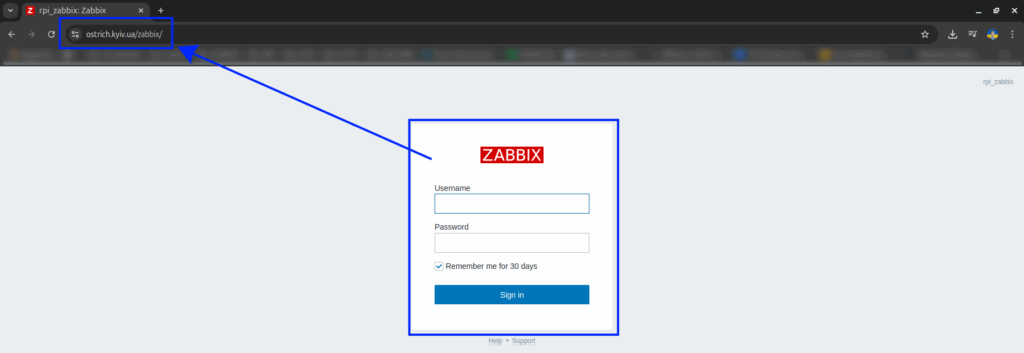
Main Steps
Zabbix is usually integrated into Apache through the config file /etc/apache2/conf-enabled/zabbix.conf, where the web UI directory is declared:
<Directory "/usr/share/zabbix/ui">
    Options FollowSymLinks
    AllowOverride None
    Order allow,deny
    Allow from all
    ...
</Directory>
We are interested in the <Directory "/usr/share/zabbix/ui"> block, where access rules need to be modified.
Here is the updated version:
<Directory "/usr/share/zabbix/ui">
    Options FollowSymLinks
    AllowOverride None
    Require ip 192.168.99.0/24
    Require all denied
</Directory>
This configuration means:
- Allow access only from IPs in the
192.168.99.0/24subnet - Deny access to everyone else
After editing the file, apply the changes by reloading Apache:
sudo systemctl reload apache2Layered Security: While IP restriction is great, you should also enable Multi-Factor Authentication (MFA) in Zabbix for maximum account protection.
Verifying the Changes
Try opening the Zabbix interface:
- From the internet (e.g., via a public domain): you should see a
403 Forbiddenerror. - From the local network: the page should open normally.
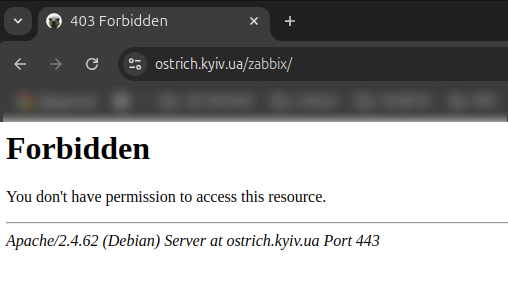
This confirms that Apache successfully blocks external access to the Zabbix admin panel.
Alert Management: Once your interface is secured, ensure you never miss an incident by configuring email notifications in Zabbix.
Conclusion
Securing Zabbix is a vital part of managing a monitoring system. Simple IP-based access restriction significantly reduces the risk of unauthorized access. This method is ideal for internal environments and test setups where Zabbix should not be exposed publicly.
Container Tracking: Expand your monitoring capabilities by monitoring Docker container activity in Zabbix.
Hardware Monitoring: Use your secured Zabbix instance to track your infrastructure, starting with monitoring Raspberry Pi CPU temperature.
Network Services: If you run a mail server, don’t forget to set up monitoring Postfix activity by Zabbix.